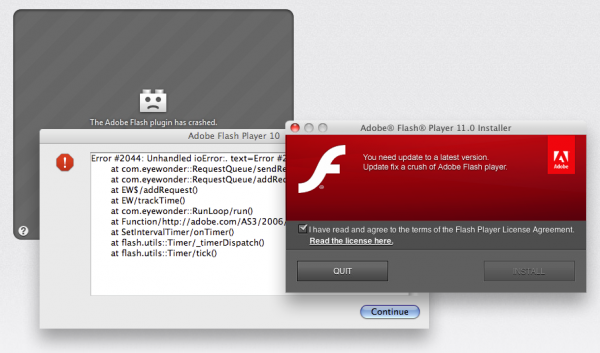
Greetings Mac user! Has your debit or credit card number been STOLEN on the Internet?
Check it now!

OK, so this probably won't work on the better 99.9% of us Mac users on the Internet. The truth is most of us know how to keep our privacy on the Internet, but is smarts enough security to keep us most safe? Not all scams are so obvious to ask nicely: Can I have your credit card number?
Lost credit cards or stolen debit card numbers are liability issues, and ID thieves do exist and they are looking for your stolen credit card number. One way for them to get your stolen credit card number on the Internet is simply to ask you, disguised as a kind, gentle (or perhaps fun) software program, completely unlike the Mac OS X malware that it is. The bad news is that this tactic has become more common on the Macintosh platform.
Mac malware code writers have become quite sophisticated and sneakier in their approach to get you to give up your credit and debit accounts. A sophisticated hackers tactic? The evil Trojan horse. According to SearchSecurity, a Trojan horse may be widely redistributed as part of a computer virus. This type of Mac malware is bad news for any Apple Mac, plain and simple, and it sucks if your computer gets infected with it.
Using stolen credit card numbers is obviously a crime, yet criminals use stolen credit card numbers all the time. The most widely known Trojan horse for Macs is MacDefender, which Intego's Mac Virus hunters discovered in May 2011. The MacSecurity / MacGuard / MacDefender / MacShield fake antivirus (Trojan horse) worked like this:
The best Mac security recommendation is to not give hackers a chance! But what do you do about it? Some Mac OS X users ask: Antivirus for Mac, really? Protecting your Mac and data is important, and I know of a few ways to keep you safer on the Internet and away from having a lost or stolen credit card number. There is no 100% method. However as I mentioned before, I am here to answer one question: Do we really need Anti-Virus for Mac?